AIVA
Artificially Intelligent Virtual Assistant
Welcome to AIVA, your intelligent virtual assistant designed to streamline task management with ease and precision. AIVA empowers you to prioritise, schedule, and accomplish your tasks efficiently, transforming how you manage your day-to-day activities.
Purpose
This blog will serve as a detailed log of the development process for AIVA, covering each step from initial concept to the final product. Here, you'll find regular updates on progress, challenges faced, solutions implemented, and reflections on the journey.
Bookmark this page and follow along for regular updates on AIVA's development.
Laying the Foundation: Core Features of AIVA
13/08/2024
Welcome to the first detailed post on the development of AIVA, your intelligent virtual assistant designed to revolutionise task management and personal assistance. In this post, I'll be diving into the core features that will form the backbone of AIVA. These features are essential to ensuring that AIVA not only meets user needs but also stands out as a powerful tool for productivity.
1. Task Scheduling
AIVA's primary function will be to manage tasks efficiently. This involves creating, editing, and deleting tasks while ensuring that users can organise their tasks based on their needs. The goal is to allow users to input tasks easily and have AIVA schedule them optimally, taking into account deadlines, priorities, and available time slots.
- CRUD Operations: The ability to Create, Read, Update, and Delete tasks.
- Task Input: Simple and intuitive interfaces for users to add tasks, either through direct input or natural language commands.
2. Priority Management
Managing task priority is crucial for productivity. AIVA will categorise tasks into four levels: ASAP, High, Normal, and Low. This prioritisation will help AIVA decide the order in which tasks should be tackled, especially when deadlines are tight.
Key Components:
Priority Levels: Tasks will be sorted based on their urgency, allowing users to focus on what's most important.
Dynamic Reordering: As tasks are completed or new ones are added, AIVA will automatically adjust the order of remaining tasks.
3. Deadline Management
To keep users on track, AIVA will handle deadlines meticulously. Users can set deadlines for each task, and AIVA will ensure these are met by scheduling tasks appropriately.
Key Components:
Deadline Tracking: AIVA will monitor deadlines and notify users as they approach.
Rescheduling: If a task is not completed on time, AIVA will reschedule it based on the remaining time and other task priorities.
4. Basic NLP Capabilities
One of the standout features of AIVA is its ability to interact with users using natural language. This means users can simply type or speak their commands, and AIVA will interpret and execute them. This feature aims to make task management as seamless as possible.
Key Components:
Comment Parsing: AIVA will interpret user inputs like &ldqou;Add a task to complete the report by Friday&rdqou; and translate these into actionable tasks.
Interactive Dialogues: Over time, AIVA will handle more complex conversations, making interactions feel more natural and intuitive.
These core features are the foundation upon which AIVA will be built. Each component is designed with the user in mind, aiming to simplify task management and boost productivity. In the upcoming weeks, I'll be working on bringing these features to life, starting with basic task management and gradually integrating more advanced functionalities.
Gantt Chart for AIVA Timeline
03/09/2024
To provide a visual representation of the development timeline for AIVA, I've created a Gantt chart outlining key milestones and deadlines. This chart will help me stay on track and ensure that AIVA is developed efficiently and effectively.
Progress Update: Building the Foundation
It's been a busy few weeks as I work on developing the initial User Interface of AIVA. Here's a quick update on the progress so far and what's coming next.
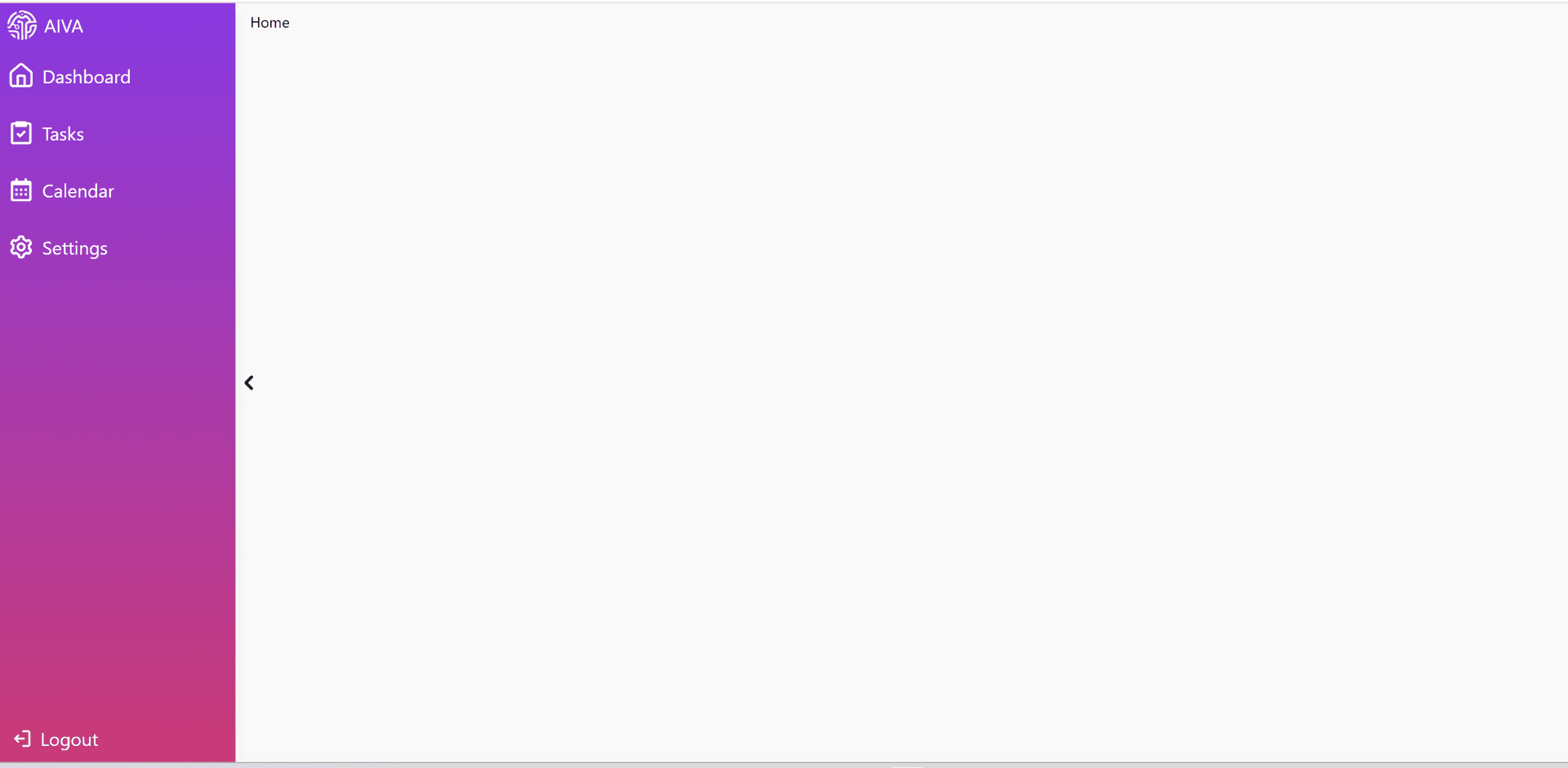
1. Side Navigation Panel:
The side navigation panel will serve as the primary menu for AIVA, allowing users to access different sections of the app easily.
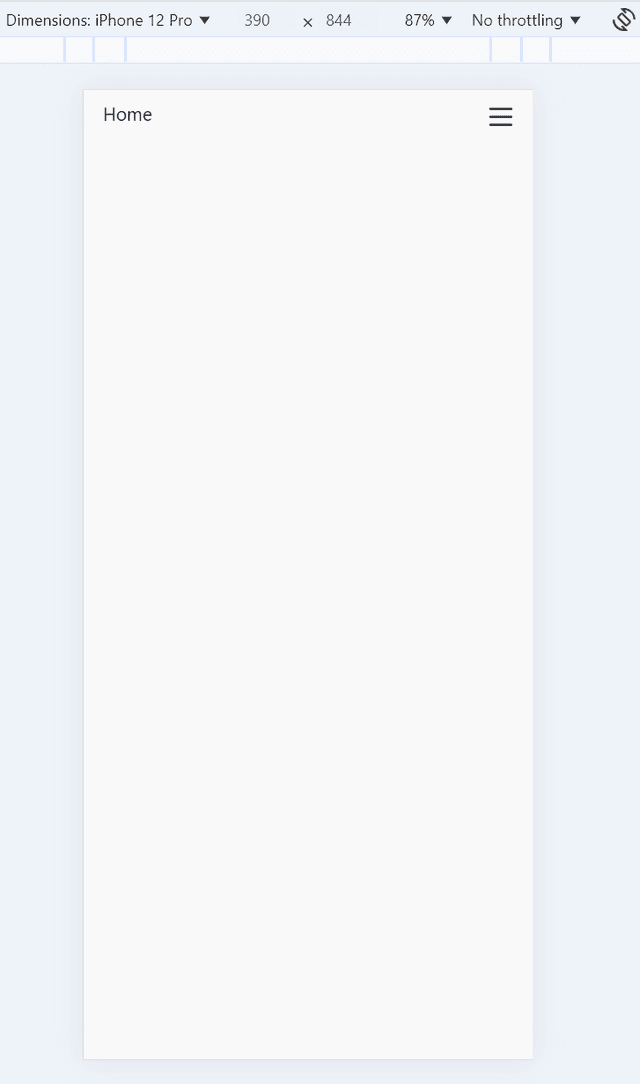
2. Mobile Navigation:
For Mobile users, the navigation will be simplified to ensure a smooth user experience on smaller screens.
3. Mobile Navigation (Open):
The task management interface is designed to be user-friendly, allowing users to create, edit, and delete tasks with ease.

Task Implementation
10/09/2024
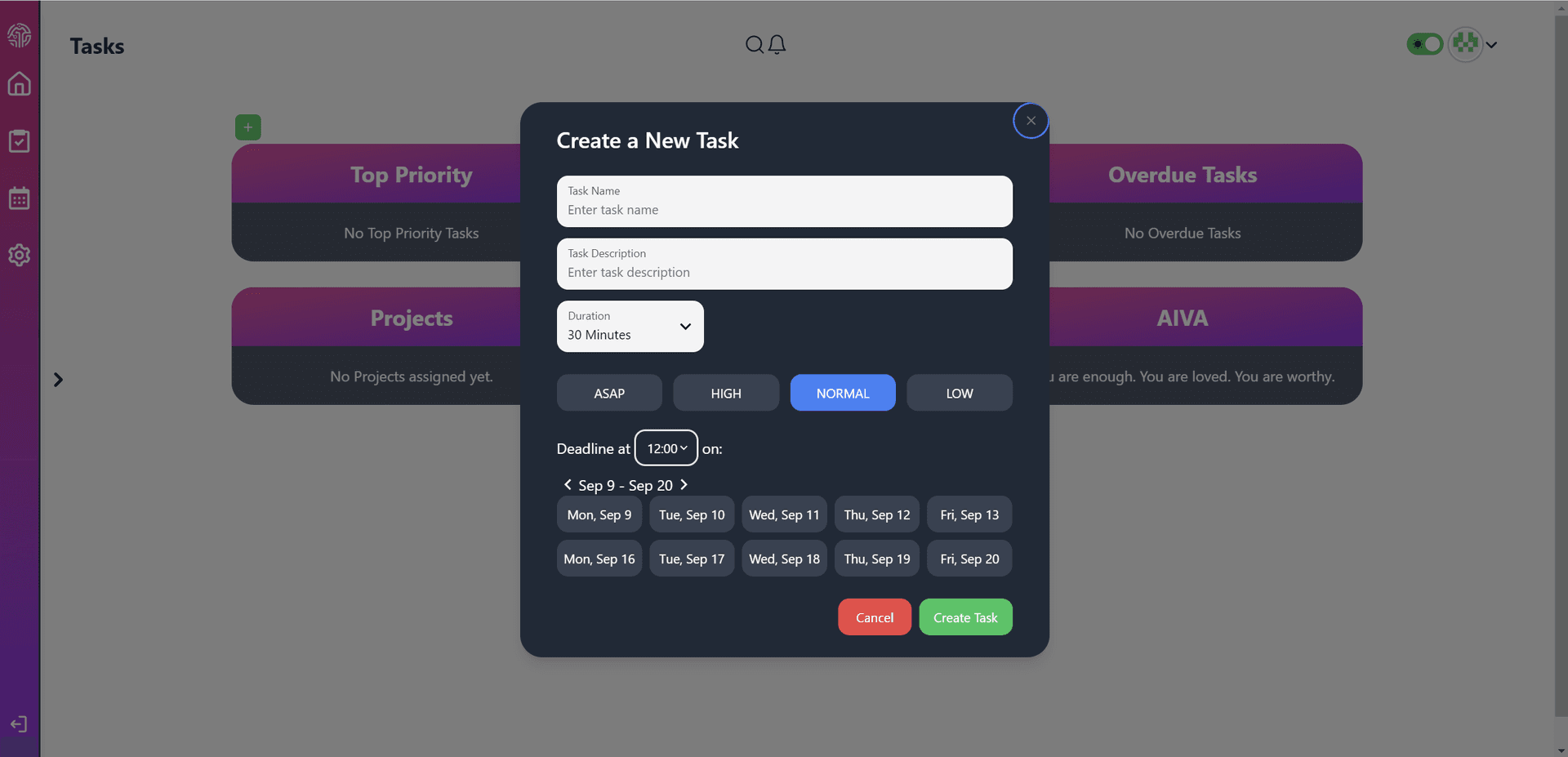
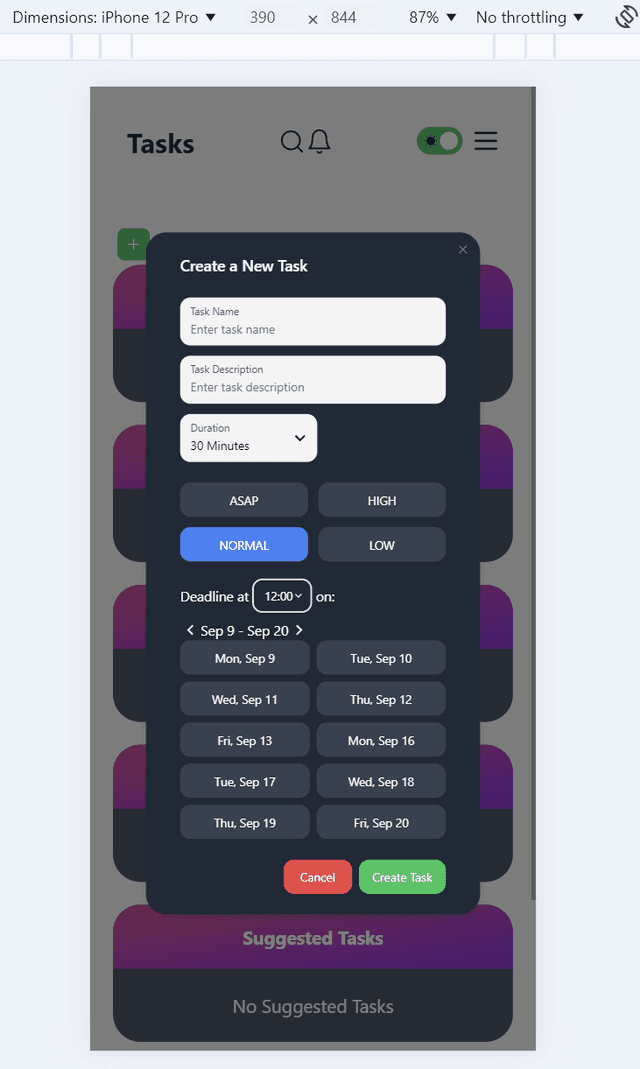
Over the past few days I've been working on implementing the core task management features of AIVA. Here's a quick update on the progress and what's coming next.
1. Default Task Creation Modal
2. Mobile Task Creation Modal
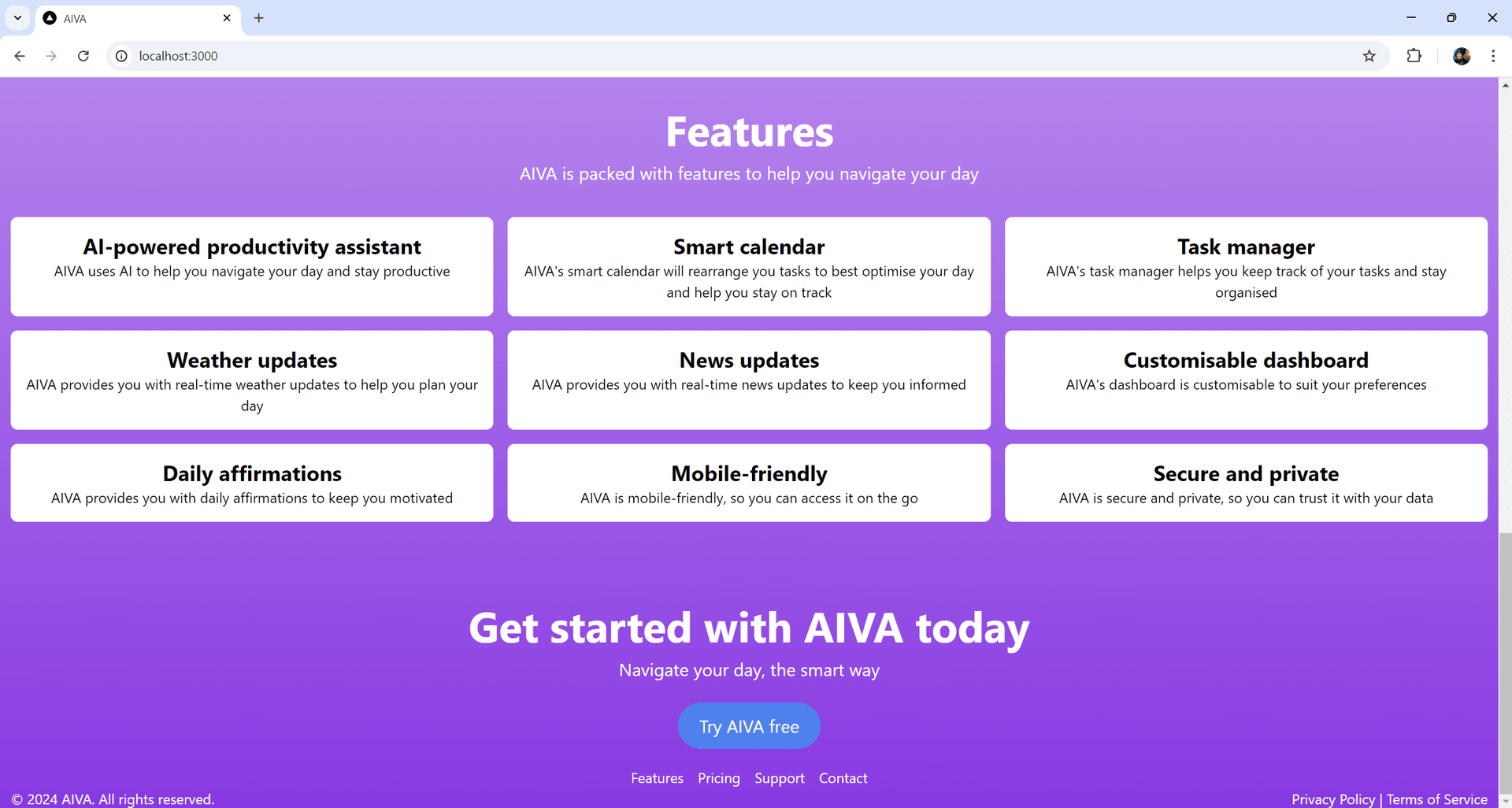
Product Home Screen
24/09/2024
The product home screen is the first thing users will see when they search for AIVA. This home screen showcases AIVA, an AI-powered productivity assistant, featuring a dynamic, visually engaging interface that highlights key functionalities such as smart task management, customisable dashboards, daily affirmations, and real-time updates, all designed to enhance productivity and streamline daily planning.

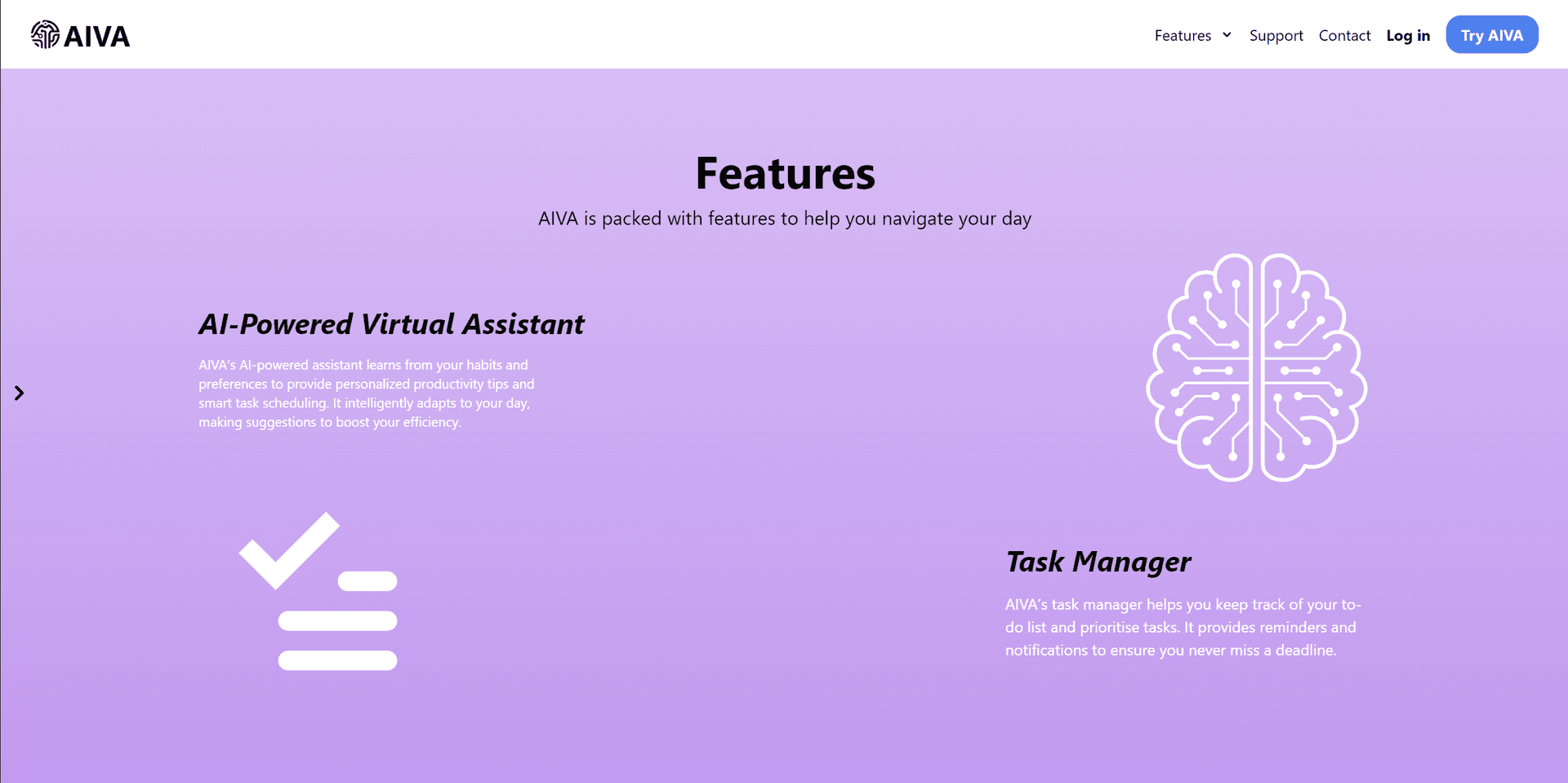
Updated Home Screen
06/10/2024
The updated home screen for AIVA features a fresh, modern design with enhanced functionality and user experience.
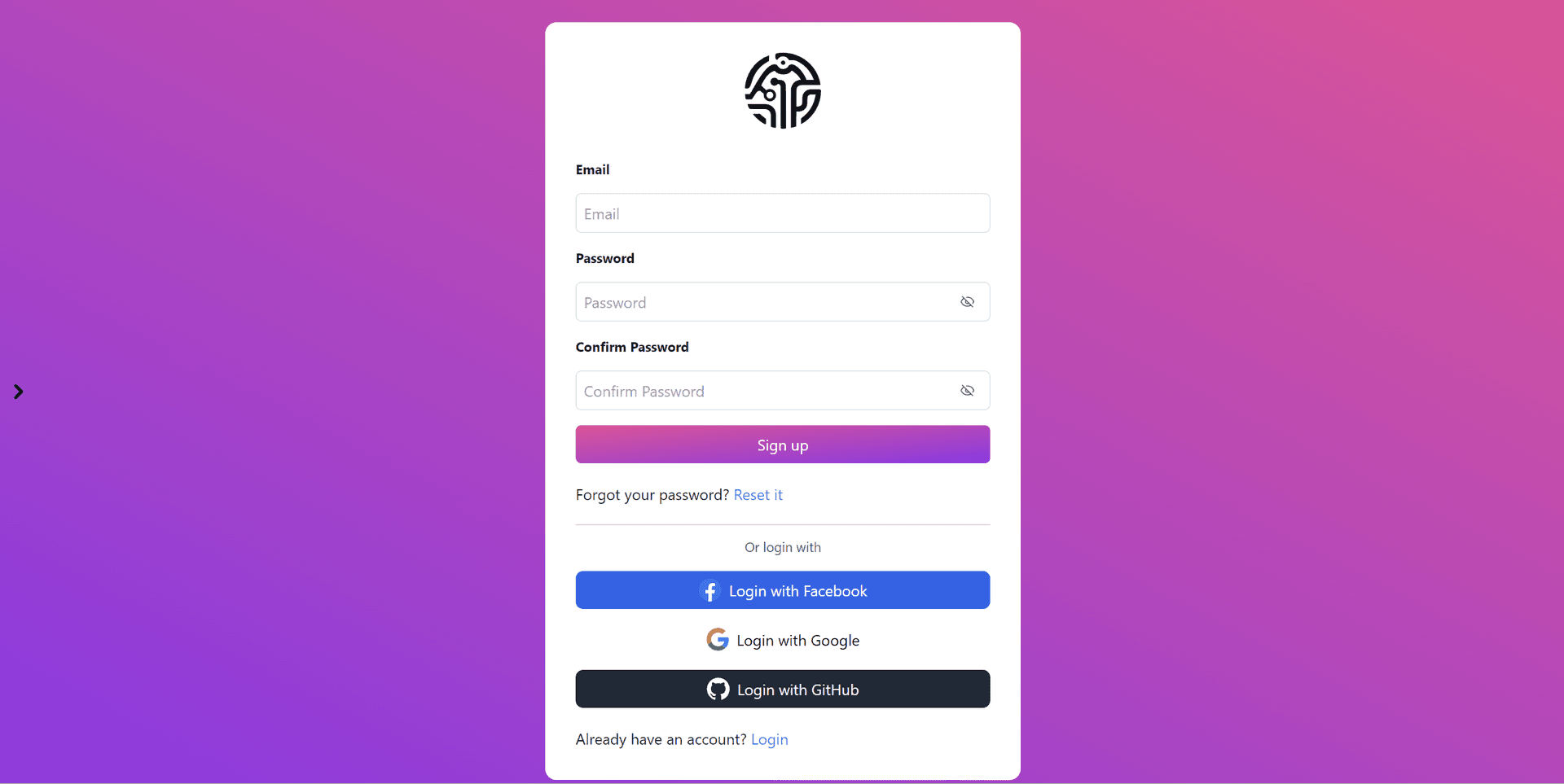
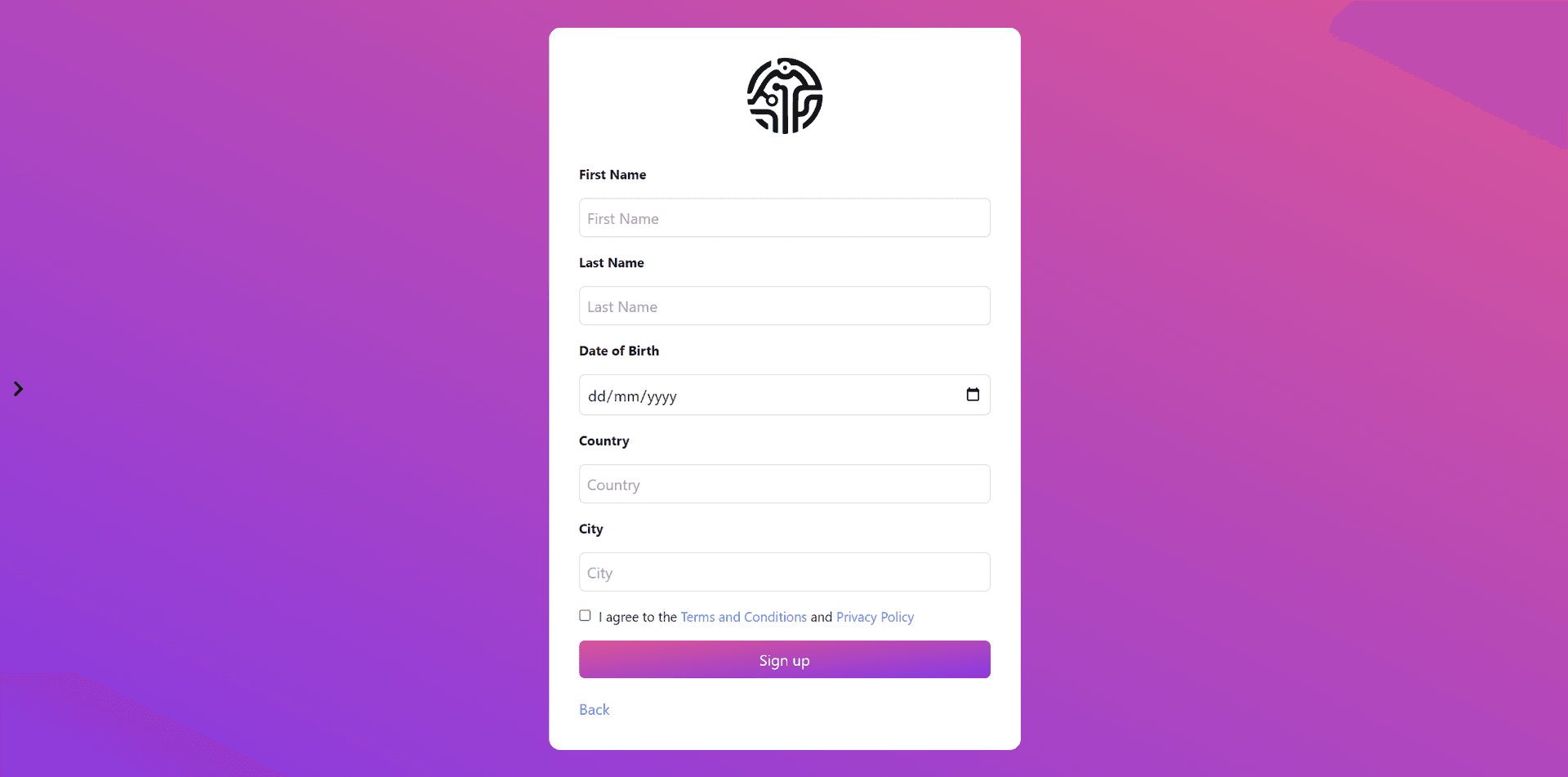
Login and Sign up Screen
06/10/2024
The login and sign-up screens are essential components of AIVA, allowing users to access their accounts and manage their tasks efficiently. These screens are designed to be user-friendly, intuitive, and visually engaging, providing a seamless onboarding experience for new users and a convenient login process for existing users.

Home Dashboard Screen
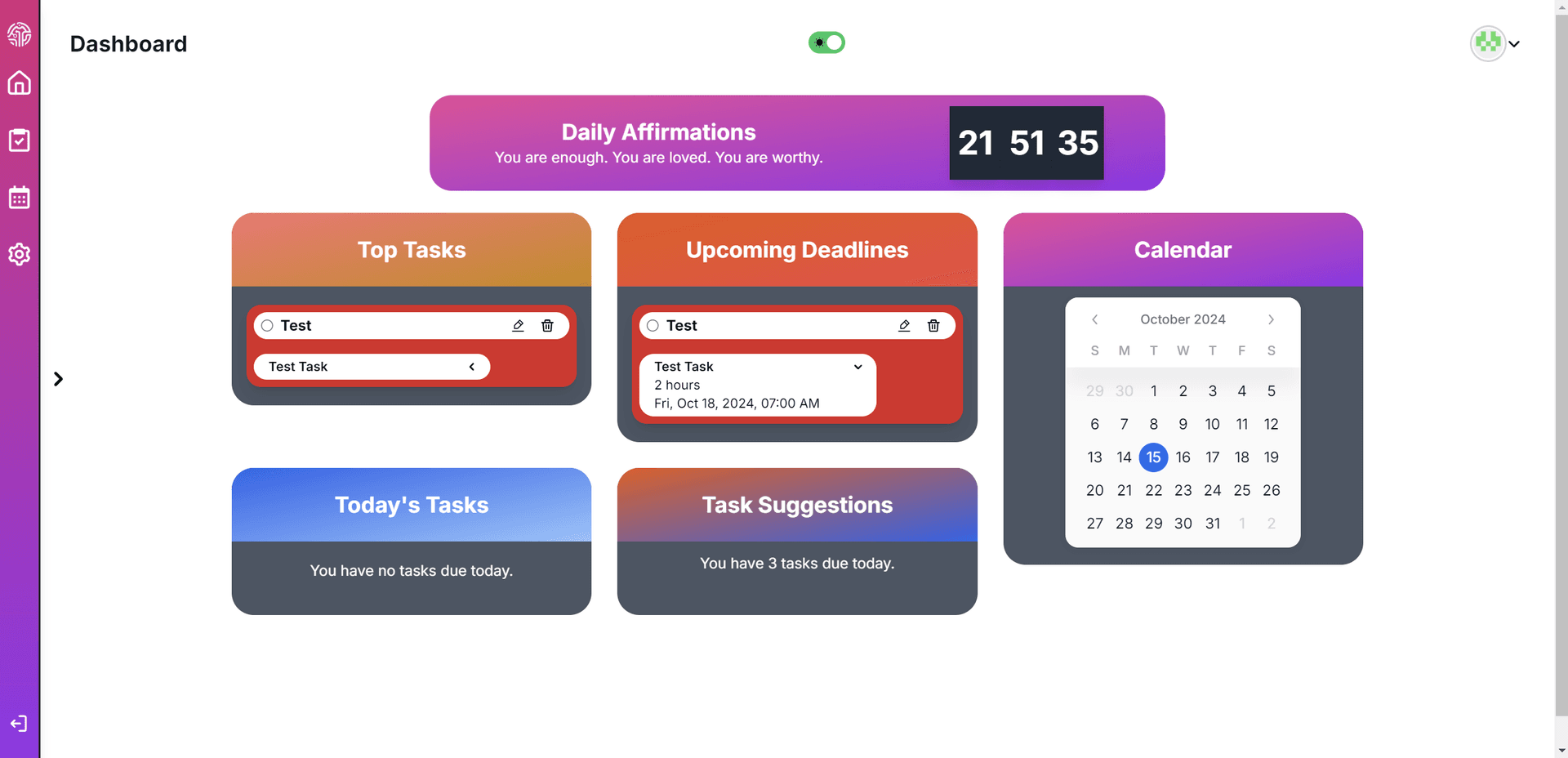
15/10/2024
The home dashboard screen is the central hub of AIVA, providing users with an overview of their tasks, priorities, and deadlines. This screen is designed to be informative, interactive, and visually appealing, allowing users to manage their tasks efficiently and stay on top of their daily activities.
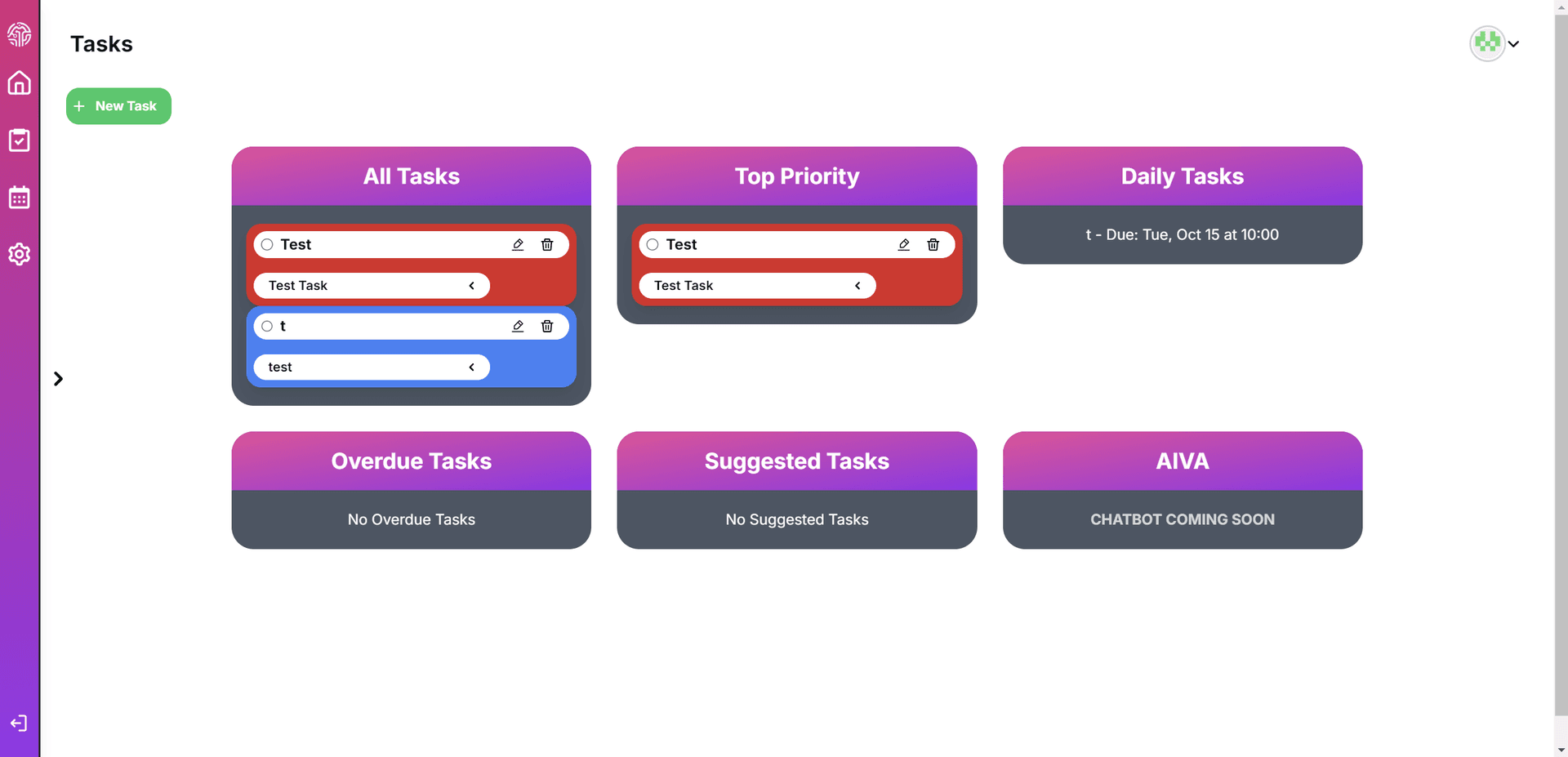
Task Screen
The task screen is where users can view, edit, and delete individual tasks. This screen is designed to be user-friendly, intuitive, and visually engaging, allowing users to manage their tasks efficiently and stay on top of their daily activities.
Close up Tasks
15/10/2024
The close up view of the task is showcasing how the tasks will look for the user. It has a sleek and minimal design with edit and delete buttons, as well as a dropdown button to show more of the tasks information.

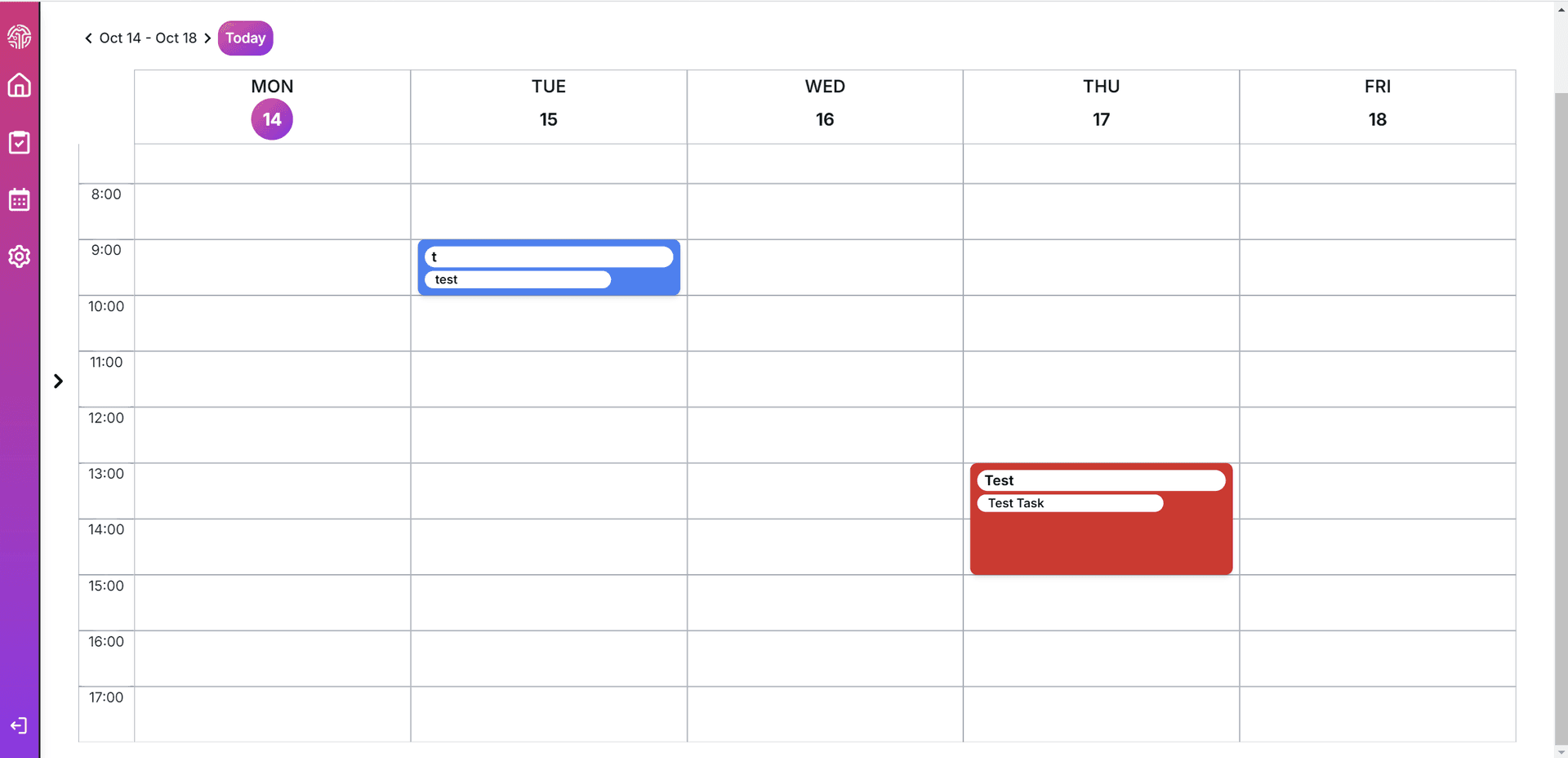
Calendar Screen with Tasks
15/10/2024
The calendar screen is showcasing the tasks that the user has set for the day. The tasks are displayed on the calendar and can be clicked on to view more information about the task.
Next Steps Before Submission
15/10/2024
The next steps before submission are to finalise the tasks, ensure the calendar is working correctly, and make sure the user can create, edit and delete tasks.
I will be minimally testing the implementation of Artificial Intelligence and Natural Language Processing to better optimise the users tasks for the day and calendar week, and also allow them multiple ways of creating, editing and deleting tasks.
This however will be a work in progress as the implementation of Artificial Intelligence is extremely extensive and time consuming; but will be continuously updated as the development progresses.
Final Reflection: AIVA Project Outcome and Future Steps
18/10/2024
The AIVA project has been an exciting and instructive endeavour, blending web development skills with task management concepts. Although this version of AIVA focuses on core functionality, such as task scheduling, priority management, and deadline tracking, it provides a solid foundation for future enhancements and iterations.
The process from concept to deployment has taught valuable lessions in both technical development and project management.
Project Outcome
AIVA's core features — CRUD operations for tasks, priority management, and user-specific task storage—have been successfully implemented. The system leverages Next.js for the frontend, Prisma for database management, and Postgres (SQL) for data storage. The task manager integrates smoothly with user accounts, storing tasks in the database and linking them to individual users.
A significant focus has been on ensuring a functional and user-friendly interface. Built with TailwindCSS, the layout is responsive and accessible across various devices. Adjustments were made during the development process based on feedback, helping maintain a visually balanced design. While some aspects, such as color consistency and minor layout tweaks, still need polishing, the application is now a functional task manager.
However, there were challenges along the way. Session management with next-auth proved more complex than anticipated, with issues around fetching specific user data. Additionally, managing deployments on Vercel required constant attention to dynamic URLs, particularly for stable session handling. These challenges, though frustrating at times, provided valuable learning opportunities in debugging and deployment management.
Lessons Learned
This project emphasised the importance of breaking development into manageable phases and testing thoroughly throughout. Deploying AIVA highlighted the need for foresight in managing backend logic, session persistence, and user-specific data handling. These experiences underscored the value of version control and modular coding, which allowed for quick adjustments in response to unexpected issues.
Future Steps
One of the biggest plans for the future of AIVA is the integration of AI. Although NLP and task recommendation features were part of the initial vision, they were deferred to focus on core functionality. In future iterations, AI will be implemented to offer smart recommendations, priority-based task adjustments, and conversational interactions. Tools such as SpaCy or Hugging Face's transformers will be explored to achieve this.
Additional priorities:
- Advanced AI Capabilities: Implementing NLP for smarter task suggestions and conversational commands.
- Mobile Application Development: Extending AIVA's reach by building a mobile version, ensuring users can manage tasks from anywhere.
- Personalisation Options: Allowing users to customise their experience with themes, task categories, priority colors and more.
- Data Analytics: Introducing reports to help users track productivity trends and identify optimisation opportunities.
- Third-Party Integration: Syncing AIVA with external calendars like Google Calendar and Microsoft Outlook for seamless scheduling.
These developments will transform AIVA from a functional task manager into a more intelligent and adaptive productivity tool.
Conclusion
The AIVA project has been a rewarding learning experience, reinforcing essential development practices and revealing new areas for exploration. While some features are yet to be implemented, such as AI-powered task recommendations, the project sets a solid foundation for future growth. Moving forward, the focus will be on enhancing functionality, integrating AI, and expanding accessibility to create a tool that not only manages tasks but also actively contributes to users' productivity.
Stay tuned for more updates as I progress in the development of AIVA, and don't forget to Bookmark this page to follow along with the journey.